JOYLO VS BOLT
Joylo or Bolt.
Which one fits?
Joylo is an AI app builder with a named engineer in your codebase. Bolt is an AI-powered builder for websites, web apps, and mobile apps. Both hand you code you can take to GitHub, but Bolt publishes no engineer who works inside your app. Joylo brings one in for $500. The guarantee starts once you agree a scope and buy the recommended hours. Pick Joylo for the engineer. Pick Bolt for the free tier and SOC 2 Type 2.
The short answer.
Four differences.
- Bolt publishes no engineer who works inside your app.It publishes support: Discord on Free, email on paid plans, and an account manager on Enterprise. Joylo's Expert Assist puts a certified engineer into your project for $500, covering 10 architect hours, with a 24-hour first response.
- Joylo puts the launch in writing, once the scope is agreed.Purchase the hours Joylo recommends for an agreed scope and that scope is guaranteed to go live. If the estimate falls short, Joylo carries the extra engineering cost.
- Both hand you the code.Bolt syncs every change to GitHub and runs locally with npm install. Joylo exports a React, Node and PostgreSQL repository to your own GitHub on every plan.
- Bolt has a free plan and states SOC 2 Type 2.Free is $0 with 300K tokens a day, and Enterprise can run the Bolt platform inside your own AWS or Azure tenant. Joylo's lowest plan is a $1 first-month Trial, so if you need to start at $0, this one goes to Bolt.
Different jobs.
Not the same tool.
Bolt
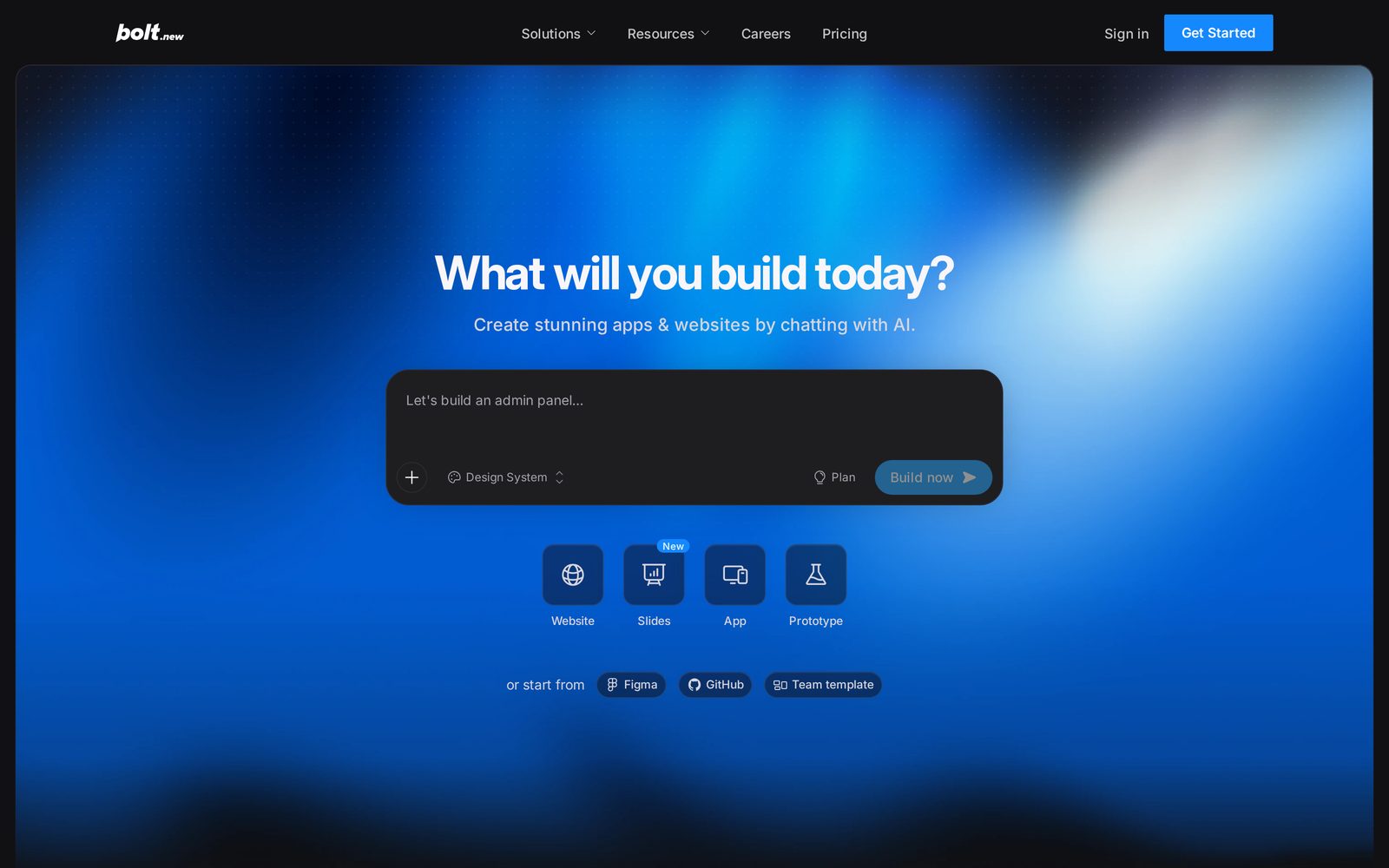
Bolt.new is an AI builder you chat with, from StackBlitz. Its agent runs Node.js directly in your browser on WebContainers and routes each task to a model. Bolt Cloud adds hosting, databases and integrations, and every change syncs to GitHub. Mobile apps go through the Expo integration.
Joylo
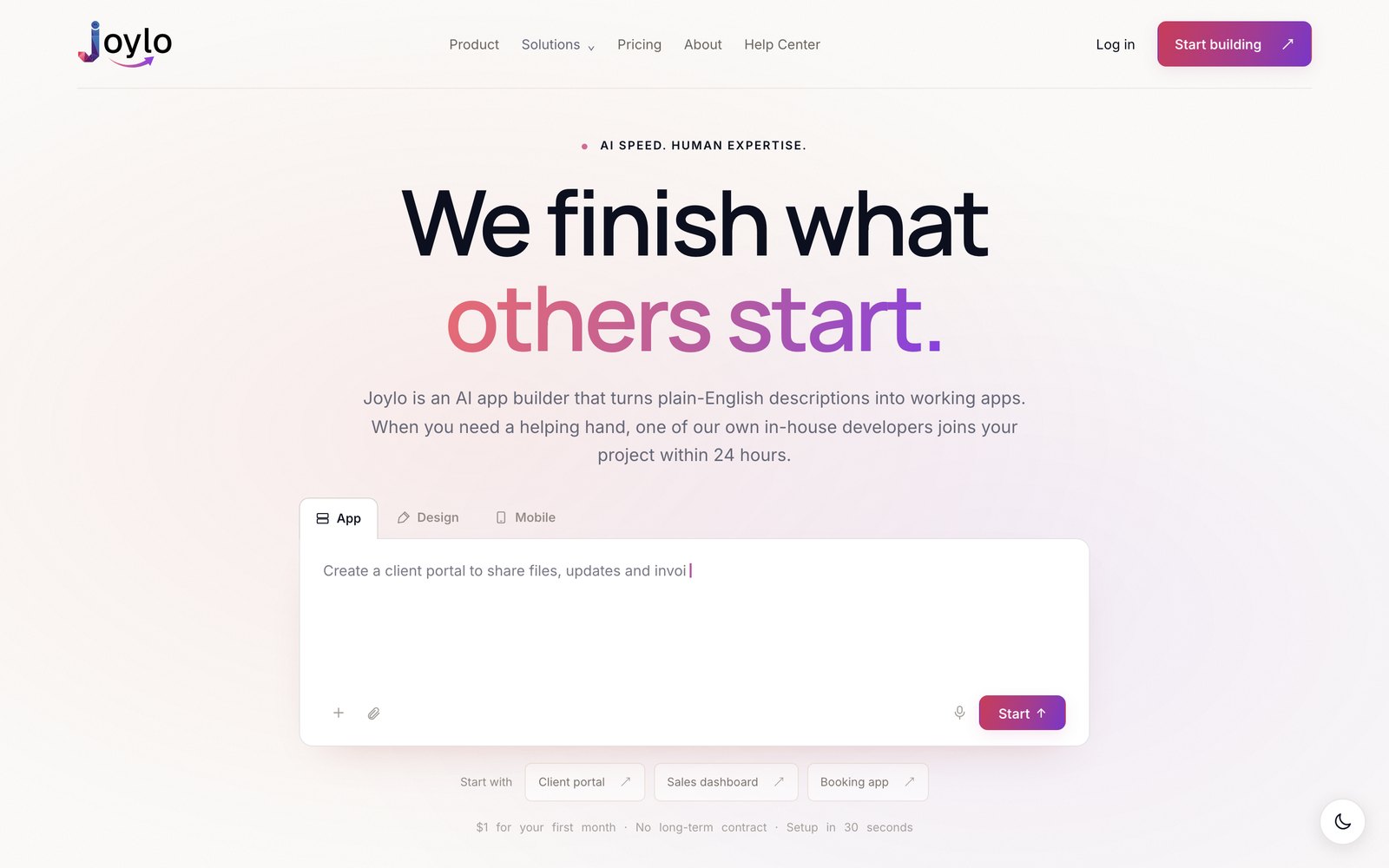
An AI builder that generates a conventional React front end, a Node API and a PostgreSQL database on Neon. The output is an ordinary repository you can open in Cursor or VS Code. When the AI stalls, Expert Assist brings a certified Joylo engineer into the project for $500, covering 10 architect hours, so you're not the one debugging it.
So the split isn't code you own against code you don't. Both give you a standard project. It's whether you want to carry every fix yourself, or have an engineer who can pick the work up when the AI gets stuck. Decide that first and the rest of this page mostly answers itself.
How does Joylo pricing compare to Bolt?
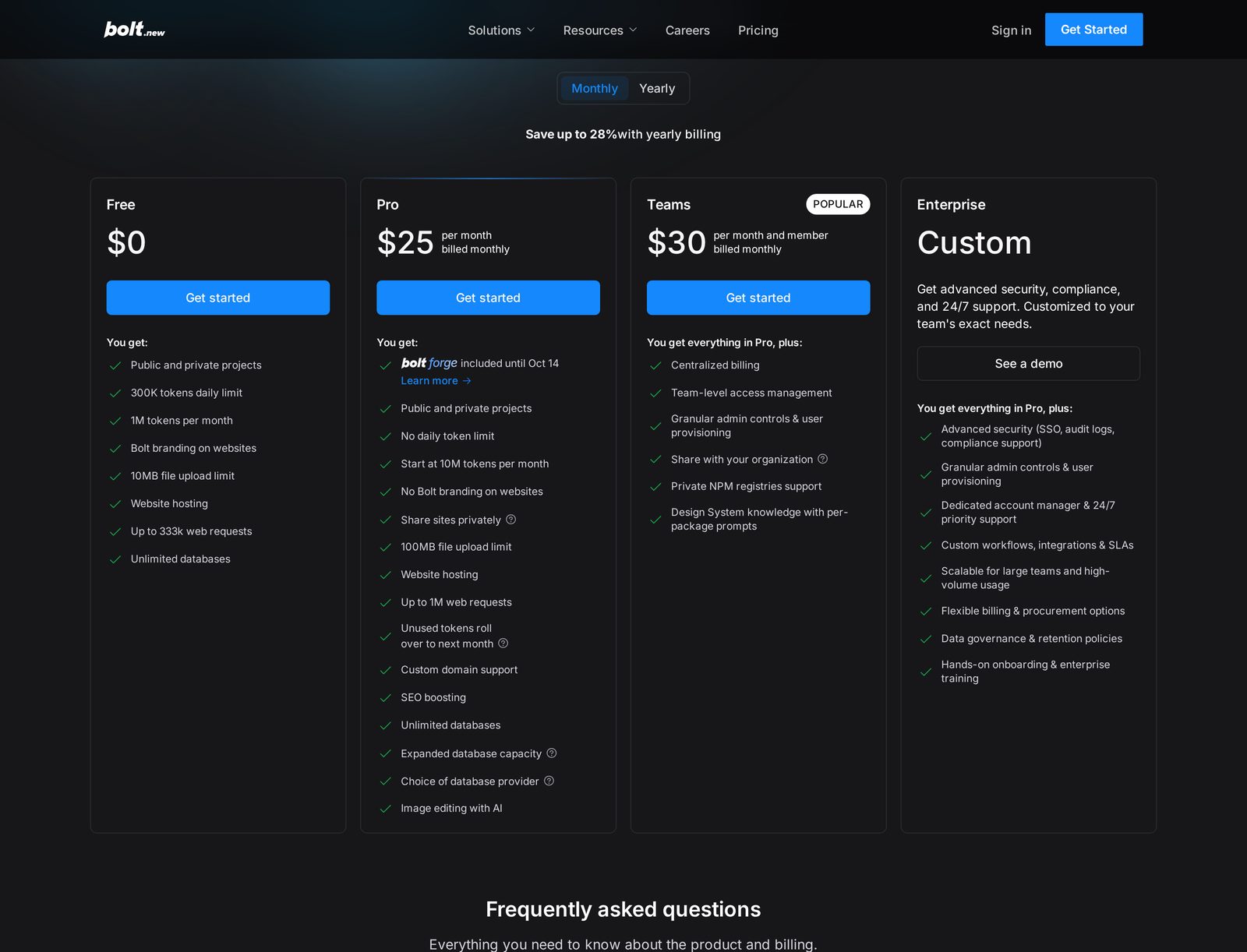
Bolt prices its plans in tokens, with a Monthly and Yearly toggle. I checked Bolt's pricing page on 29 September 2026 and found it loads with Monthly selected, so every Bolt price below names its billing state. Bolt's pricing page says "Save up to 28% with yearly billing". Bolt's Help Center billing page says an annual plan saves 10%. Both are Bolt's own pages, and the prices here come from the pricing page.
| Plan level | Joylo | Bolt |
|---|---|---|
| Lowest price | $1 for the first month (Trial) | $0 (Free), 300K tokens daily, 1M tokens a month |
| Entry paid | $25/mo (Solo Builder), 100 AI credits | $25/mo billed monthly, $18/mo billed yearly (Pro, from 10M tokens a month) |
| Next tier | $50/mo (Starter), 250 AI credits | Higher Pro token tiers exist, not priced on the pricing page |
| Team plan | Team workspace and role-based access on Starter ($50/mo) | $30 per member/mo billed monthly, $27 per member/mo billed yearly (Teams) |
| Engineer capacity | $3,000 to $6,000/mo (Co-Build) | Not published |
| One-off engineer help | $500 for 10 architect hours (Expert Assist) | Not published |
| Extra tokens or credits | On-demand credit top-ups | Token reloads on the highest monthly Pro plan or any annual Pro plan, price not published |
| Enterprise | Custom pricing, talk to Joylo about Enterprise | Custom, see a demo |
In practice the row that decides it is one-off engineer help. Bolt lists no engineering hours for sale, so it has no price there. If your worry is the week the build breaks, weigh that $500 against the week you'd otherwise spend fixing it yourself.
A certified engineer.
When the AI gets stuck.
Expert Assist costs $500 and covers 10 architect hours. A certified Joylo engineer works directly in your existing project, can see your codebase only once you approve access, and merges nothing without your approval. First response is within 24 hours. We investigate the cause and agree the right fix. If the job needs more than the 10 hours, your engineer explains the remaining work and asks you to approve more hours before continuing.
Joylo's written production guarantee begins once a scope is assessed, agreed, and the recommended hours are purchased. On Co-Build, a named engineer stays with your app month to month.
Bolt does publish human help, and it differs by plan. Free plans get community support on Discord. Paid plans get email support, Monday through Friday during business hours. Teams can choose Work with an expert for help setting up a design system. Enterprise adds a dedicated account manager, a customer success manager, Slack channels, 24/7 priority support, and hands-on onboarding and enterprise training.
I found no Bolt page offering an engineer who works inside your codebase, or engineering hours you can buy. The same expert engineers behind Joylo built the CameraMatics fleet platform at HST. If the AI has taken your app somewhere you can't follow, that's who picks it up.
Code you own.
A stack you can move.
Joylo
A conventional React front end, a Node API and a PostgreSQL database on Neon, with no proprietary client SDK. Export the code to your own GitHub on every plan, from the $1 Trial up, and run it on AWS, Azure, GCP or your own infrastructure. Standard migration in from Lovable, Replit, Bolt or another supported code repository is free, so you can bring an app you already started.
Bolt
Bolt is strong here too. Projects use JavaScript, with Node.js for the backend. Bolt syncs to GitHub every time you make a change, lets you download a project as a zip file, and runs locally with npm install. Enterprise can deploy into your own AWS or Azure tenant, and you can deploy to Netlify.
So portability is close to even. Both give you code a developer can pick up. The difference is who you call when that code breaks.
Joylo vs Bolt: full feature comparison
Every cell is either a published figure from the vendor's own site or "Not published". Nothing here is estimated. Bolt prices name their billing state.
| Feature | Joylo | Bolt |
|---|---|---|
| People and guarantees | ||
| In-house engineer who works inside your app | Yes, Expert Assist, $500 for 10 architect hours | Not published |
| Engineer first-response time | Within 24 hours (Expert Assist) | Not published. Paid plans get email support Monday to Friday in business hours, and Enterprise lists 24/7 priority support, with no response time given |
| Written production guarantee | Yes, begins once scope is assessed, agreed and the recommended hours are purchased | Not published. Enterprise lists custom SLAs, terms not published |
| Human support, lowest plan | Free platform support on every plan for account, billing, credits or Joylo problems, aiming to reply within 24 hours on business days. Engineer help in your app through the Expert Assist add-on, $500 for 10 architect hours | Community support on Discord (Free) |
| Human support, paid plans | Free platform support, plus engineers through the Expert Assist or Production Support add-ons, who work 9am to 5pm GMT, Monday to Friday | Email support, Monday through Friday during business hours |
| Round-the-clock human support | Engineers work 9am to 5pm GMT, Monday to Friday. Human response around the clock is by Enterprise arrangement | 24/7 priority support (Enterprise) |
| Dedicated people on Enterprise | A dedicated architect team (Private Cloud), an in-house architect team with agreed hours (Public Cloud) | Dedicated account manager, customer success manager, Slack channels, hands-on onboarding and enterprise training (Enterprise) |
| Refund policy | 30-day money-back guarantee, paid plans | Subscriptions are non-refundable |
| Building | ||
| How you build | Describe the app in plain English | Chat with AI |
| Automated check before launch | AI Confidence Score from 0 to 100, checking security, reliability, scalability, integrations and code quality, every plan including the $1 Trial | Security review of your project before it goes live, once turned on, at no extra cost, on paid plans (Free gets a database security check only) |
| Generated tech stack | React, Node API, PostgreSQL (Neon) | JavaScript front end, Node.js back end |
| Runs your code in the browser | Not published. Apps run on Kubernetes infrastructure managed by Joylo | Yes, Node.js runs in the browser on WebContainers |
| Model routing | Yes, routes each step to a model automatically (Claude and GPT), no user choice of model | Yes, routes each task to a model |
| Agent tiers | Not published | Standard (all users), Max (Pro only) |
| Start from Figma, GitHub or a template | Not published for Figma. An existing app can move in from a supported code repository | Figma, GitHub, Team template |
| Build inside your design system | Not published. A UI Editor changes colours, layouts and components | Yes, paid Team plans |
| Terminal access | Yes, direct terminal access | Yes, a terminal in Bolt's Code view |
| AI allowance, lowest plan | 50 AI credits, first month (Trial) | 300K tokens daily, 1M tokens a month (Free) |
| AI allowance, entry paid plan | 100 AI credits a month (Solo Builder) | From 10M tokens a month, no daily limit (Pro) |
| Unused allowance rolls over | No. Unused AI credits do not roll over. Joylo's pricing table separately lists 'Top up credit rollovers' as included | Yes, tokens from a paid subscription, valid up to two months in total |
| Data and hosting | ||
| Database | PostgreSQL via Neon, automatic backups | Unlimited databases, Supabase needs Pro or Teams |
| Choice of database provider | Not published. Joylo generates a Postgres database via Neon | Yes, Pro |
| Hosting | Included in the monthly plan, no separate hosting bill | Website hosting on every plan |
| Hosting traffic allowance | Not published | 10 GB bandwidth, 333,333 requests a month, hard limit (Free), 30 GB, 1 million requests (Pro) |
| Traffic above the allowance | Not published. Hosting is included, with no per-app hosting charge | Pay as you go on Pro, price not published |
| File upload limit | Not published. Storage is 5 GB (Trial, Solo Builder) or 10 GB (Starter) | 10MB (Free), 100MB (Pro) |
| Private apps | 10 (Trial, Solo Builder), unlimited (Starter) | Public and private projects, every plan. Private sites, paid plans only |
| Custom domain | Included on every self-serve plan | Paid plans only, not on Free |
| Remove builder branding | Included on every self-serve plan | Pro and up (Free shows Bolt branding) |
| Ownership and portability | ||
| GitHub | Export to your own GitHub, every plan | Syncs to GitHub every time you make a change |
| Work on the code outside the platform | Yes, full code access in Cursor, VS Code or anywhere else, with terminal access | Yes, download a zip for your own code editor and run it locally with npm install |
| Deployment targets | AWS, Azure, GCP or your own infrastructure | Bolt hosting, Netlify, your own infrastructure, own AWS or Azure tenant (Enterprise) |
| Code ownership terms | You own the full application on every plan | All code you create is your own, commercial use allowed |
| Migration into the platform | Free standard migration from Lovable, Replit, Bolt or another supported code repository, every plan from the $1 Trial | Lovable projects through GitHub import |
| Architect-led migration | Fixed $2,000, quoted before you commit | Not published. Import is self-serve, through GitHub |
| Teams, security and compliance | ||
| Team tokens or credits | Not published. AI credits are set per plan, not per member | Each paid member gets their own allotment, not shared |
| Admin and access controls | Role-based access, Starter | Team-level access management, granular admin controls and user provisioning (Teams) |
| SSO | Not published. Two-factor authentication is available | Okta, Azure AD and major SAML providers (Enterprise) |
| Stated compliance | GDPR-ready, enterprise-grade security | SOC 2 Type 2 certified, GDPR and CCPA compliant (Bolt's own stated claim) |
| Encryption | Not published | AES-256 at rest, TLS 1.2 or higher in transit |
The takeaway from all 40 rows is that Bolt has the answer on most rows about free usage, token rollover, compliance and enterprise support, and publishes nothing for engineering work inside your app. So the trade is plain: you're choosing between a generous platform and a fixed price for an engineer who works in your code.
When is Bolt
the better choice?
- You want to start free.Bolt's Free plan is $0 with 300K tokens a day and 1M a month. Joylo's lowest plan is a $1 first-month Trial.
- Your brand already has a design system.On paid Team plans Bolt builds with your fonts, colours and components, so generated screens look like your business from the first prompt.
- You need SOC 2 Type 2, or Bolt itself running in your own cloud tenant.Bolt states it is SOC 2 Type 2 certified, and Enterprise can run the Bolt platform inside your own AWS or Azure tenant. Joylo is GDPR-ready with enterprise-grade security.
- You want people on call around the clock.Bolt Enterprise lists 24/7 priority support and a dedicated account manager. Joylo's engineers work 9am to 5pm GMT, Monday to Friday.
Pick Bolt for any of those four and you'll be happier than you would be on Joylo. That is not a flaw, it is a different job.
Who each one
is actually for.
Pick Joylo if
You're building something customers will pay for, you want the code to be yours, and you want an engineer you can bring in the week it breaks. It fits first-time founders shipping a first real product, teams rescuing an app another AI builder left half-finished, and small teams with a roadmap and no engineering capacity.
Pick Bolt if
You want to start free, you're happy to drive every fix yourself, and you want code in GitHub from the first change. It fits the entrepreneurs, product managers, marketers, agencies and students Bolt names on its own homepage, and anyone who needs Bolt's SOC 2 Type 2 certification in place before you can sign.
Fair questions.
Straight answers.
The practical details before you choose.
Is Joylo more expensive than Bolt?
On monthly billing the entry plans are level. Joylo's Solo Builder is $25/mo and Bolt's Pro is $25/mo billed monthly. Billed yearly, Bolt's Pro is $18/mo, and Joylo has no yearly price. You can start on Bolt's $0 Free plan, and Joylo starts with a $1 first-month Trial. The gap opens when you want an engineer. Expert Assist is $500 for 10 architect hours, and Bolt lists no engineering hours for sale.
Does Bolt give me access to a human engineer?
Bolt publishes human support, not an engineer inside your app. Free plans get community support on Discord. Paid plans get email support during business hours, Monday through Friday. Enterprise adds an account manager, a customer success manager, 24/7 priority support and hands-on onboarding. Joylo's Expert Assist puts a certified engineer into your project for $500, covering 10 architect hours.
Can I export my code from Bolt?
Yes. Bolt syncs every change to GitHub, lets you download a project as a zip file, and documents running a downloaded project locally with npm install. Joylo exports the code to your own GitHub on every plan, as a conventional React, Node and PostgreSQL stack you can run on AWS, Azure, GCP or your own infrastructure.
How does Joylo's production guarantee work?
It isn't automatic. We assess your app and agree a launch scope with you first. The guarantee begins once that scope is assessed, agreed, and the recommended hours are purchased. If our estimate falls short, we carry the extra engineering cost until that scope is live. New or expanded scope is agreed separately. Before that point there's no guarantee in force.
Can I move an app I built on Bolt into Joylo?
Yes. Joylo's pricing page names Bolt, and standard migration is free on every Joylo plan, from the $1 Trial up. We check your project before the import begins and tell you if it needs a more involved move. A monorepo or heavily customised backend is an architect-led migration at a fixed $2,000, quoted before you commit.
What does Bolt's Pro plan cost on monthly and yearly billing?
Pro is $25 per month billed monthly, or $18 per month billed yearly, and starts at 10M tokens a month with no daily limit. Bolt's pricing page says you can save up to 28% with yearly billing. Bolt's Help Center billing page says an annual plan saves 10%. Both are Bolt's own pages, and the prices here come from the pricing page.
What happens when I run out of Bolt tokens?
Free plans stop at 300,000 tokens a day and 1 million a month. On paid plans, unused tokens roll over for one extra month. Bolt sells token reloads on its highest monthly Pro plan and on any annual Pro plan, but it doesn't publish the reload price. You see it when you go to reload. Bolt's own advice is to upgrade to a higher tier.
Is Bolt SOC 2 certified?
Bolt states it is SOC 2 Type 2 certified and compliant with GDPR and CCPA. Its Enterprise BYOK deployment runs inside your own AWS or Azure tenant, which Bolt says meets HIPAA, FedRAMP and SOC 2 requirements. Joylo describes itself as GDPR-ready with enterprise-grade security. If a certification is a procurement requirement, verify it directly with the vendor.
Start building.
With someone to call.
Describe your app and see what you can build. No technical brief. No demo call.
Joylo prices in USD, excluding VAT where applicable. Joylo's engineers work 9am to 5pm GMT, Monday to Friday. Bolt figures are taken from Bolt's own published pages on 29 September 2026 and may have changed since.